CSU Learn and EHS Training
Important! You must have an SFSU email address to use CSU Learn.
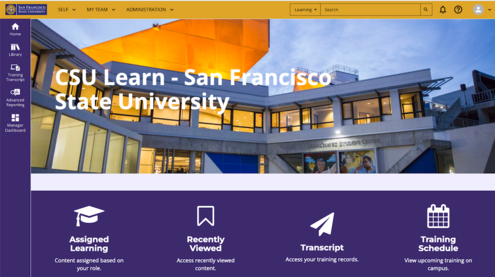
What is CSU Learn?
CSU Learn is a learning management system (LMS) provided by SumTotal/Skillsoft and adopted by the California State University. CSU Learn allows each campus to assign and track mandatory compliance training for employees.
The user resources below will assist you with learning more about using CSU Learn for EHS training. If you have any questions, please don’t hesitate to contact us at sfehs@sfsu.edu. We’re here to help.
For more information about EHS training, topics and compliance requirements, check out the EHS Training web page.
Quick Links
- CSU Learn Users: Frequently Asked Questions and Troubleshooting Guide
- Tutorial: How to Find an EHS Training Course in CSU Learn (1:02)
- EHS Training Web page
- Human Resources Professional Development and CSU Learn Web page
- How to clear your browser cache (Information Technology)
Resources
- Use Google Chrome or Firefox browser.
Internet Explorer is no longer supported and won’t work. Safari and Edge will work but change browsers if you experience issues, as CSU Learn is not optimized for Safari or Edge. - Disable Pop-up or Ad Blockers.
Pop-up or Ad blockers can result in the course not launching properly which will cause CSU Learn to not recognize that you've completed a training. - Be sure to keep the progress tracking window open while you complete the training.
When you launch a training in CSU Learn, two windows will open: a window with the actual training and a progress tracking window. You MUST keep the progress tracking window open during the entire time you're taking the learning activity or the system will not record that you've completed it. - Complete ALL the learning activities in the assigned training curriculum.
Most EHS compliance assignments have more than 1 (one) learning activity that must be competed to get credit. - Ensure that you have an SFSU email address to use CSU Learn.
For those trying to access online training without an assigned SFSU email address, please follow the directions below:- Once your SFSU ID is created and an active POI entry is in the system, you will need to setup your SFSU security questions/answers/password by going to https://webapps.sfsu.edu/auth/passwordreset
- This will create their account in Active Directory
- After the account gets created in Active Directory, you may create their SFSU email address at https://webapps.sfsu.edu/apps/acctsvc/emailaccountservicesmain
- Once your SFSU ID is created and an active POI entry is in the system, you will need to setup your SFSU security questions/answers/password by going to https://webapps.sfsu.edu/auth/passwordreset
SF State Password Setup or Reset - SF State University
Open the link to the pdf to view the troubleshooting guide. The table of contents has links to the desired page for each question in the document.
CSU Learn Users: Frequently Asked Questions and Troubleshooting Guide
The Guide answers questions like those listed below:
- I can’t log in. What do I do?
- I finished the course. Why am I still getting notifications to complete it?
- Can I use a mobile device to take the training?
Additional frequently asked questions can be found in the IT Knowledge Base that answers question like these:
- I am retired, on leave or have separated from the university, why am I getting an e-mail to take training?
- Why do I need to register for the training and also click Start to launch the course?
General CSU Learn FAQ (Information Technology Knowledge Base)
- Tutorial – How to navigate through EHS Curricula in CSU Learn (1:42)
- Tutorial – How to find and access an EHS curriculum (1:02)
- Tutorial – How to access your assigned learning report in CSU Learn (0:56)
- Tutorial – How to check your progress in an EHS curriculum (0.53)
- Tutorial – Supervisors: How to check training status of your direct reports (0:35)
- Tutorial – How to open a quiz if the start button is not visible (0:49)
- Tutorial – How to exit a presentation to save your progress and get credit (0.32)
EHS strives to make online learning activities that are assigned to all employees accessible to Web Content Accessibility Guidelines (WCAG 2.2 to the A or AA standard).
- Not all all CSU-provided courses currently meet WCAG AA standards, but as training assets are revisited or new ones created, meeting this standard is a high priority for the CSU.
- There are certain targeted training modules that must meet specific technical training objectives and are only assigned to personnel who will perform specialized tasks. For this reason, all the WCAG 2.2 guidelines may not be met.
Get Help
If you are unable to access the information in your assigned learning, please contact EHS for assistance. We will try to arrange alternate methods of providing the required information and may consult with Human Resources for the most effective reasonable accommodation for your needs.
If you require additional assistance, please contact Employee Accommodation Services, now part of Human Resources. This office will support faculty and staff.
- Assistant Director of Employee Accommodations: Greg James
- Employee Accommodation Services
Effective July 1, 2024, the Disability Programs and Resource Center (DPRC) will exclusively support students.
- If you are a student not employed by the university, please contact DPRC
- Check the DPRC webpage for additional information about accessibility assistance.